
Download Internet Explorer 9 – Fast, Secure, and Modern Web Browsing
Overview
Internet Explorer 9 (IE 9) marks a significant redesign of Microsoft’s long‑standing web browser. Built for Windows 7 and newer editions of Windows Vista, IE 9 delivers a sleek, transparent interface that takes advantage of the Aero glass theme, offering a cleaner visual experience compared with its predecessors. The most noticeable change is the merged address and search bar, a design decision that mirrors the simplicity found in Google Chrome and other modern browsers. This unified bar reduces clutter and lets users type a URL or search term without switching contexts, making everyday navigation feel faster and more intuitive.
Beyond aesthetics, IE 9 introduces tighter integration with the Windows operating system. Users can pin favorite sites to the Superbar, effectively turning web pages into “apps” that launch directly from the taskbar. This feature blurs the line between native desktop applications and web content, encouraging a more app‑centric workflow. Security receives a major overhaul as well: the browser now includes InPrivate Filtering, which blocks third‑party tracking cookies, and a robust sandbox architecture that isolates web content from the rest of the system, reducing the attack surface for malicious sites.
Performance is another cornerstone of IE 9. Microsoft’s Performance Advisor add‑on scans installed extensions and flags those that degrade speed, addressing a common complaint from users of earlier versions. Rendering engines have been optimized for HTML5, CSS3, and SVG, allowing the browser to pass the Acid 3 test with a 95/100 score—a near‑perfect rating that signals strong compliance with modern web standards. Altogether, Internet Explorer 9 offers a blend of visual polish, enhanced security, and improved speed that makes it a compelling choice for Windows users looking for a free, built‑in browser solution.
Key Features and Functionalities
- Transparent Aero Interface: Leverages Windows 7’s Aero glass for a modern, translucent look.
- Unified Address/Search Bar: One bar for URLs and search queries, reducing UI clutter.
- Superbar Pinning: Pin websites to the taskbar, turning them into quick‑launch “applications.”
- Performance Advisor: Detects and disables add‑ons that slow down browsing.
- HTML5 & CSS3 Support: Full rendering of modern web standards, including video, audio, and canvas elements.
- Acid 3 Score 95/100: Near‑perfect compliance with web standards, ensuring reliable page layout.
- InPrivate Filtering: Blocks third‑party tracking cookies for enhanced privacy.
- Hang Recovery: Automatically restores tabs after a crash, preserving user sessions.
- Improved Security Sandbox: Isolates web content from the OS to mitigate exploits.
- Touch‑Optimized Controls: Supports multi‑touch gestures on compatible hardware.
These features collectively address the primary pain points that users reported with earlier Internet Explorer versions. The transparent Aero interface isn’t just a cosmetic upgrade; it aligns the browser’s visual language with the rest of the Windows environment, creating a cohesive desktop experience. The unified address/search bar eliminates the need for a separate search box, streamlining workflow for power users who frequently jump between sites and search queries.
The Superbar pinning capability is particularly noteworthy for professionals who rely on web‑based tools such as email, project management, or cloud storage. By pinning these services, users can launch them with a single click, just like any installed program. The Performance Advisor tackles the notorious “slow IE” syndrome by offering a simple, one‑click solution to identify problematic extensions, a feature that was previously only available through third‑party utilities.
From a developer’s perspective, the robust HTML5 and CSS3 support means that modern web applications run smoothly without resorting to fallback code or polyfills. The high Acid 3 score validates the browser’s standards compliance, ensuring that layouts, fonts, and scripts behave consistently across platforms. InPrivate Filtering and the hardened security sandbox give privacy‑conscious users confidence that their browsing data remains protected against tracking and exploitation.
Installation, Usage, and Compatibility
Installing Internet Explorer 9 is straightforward for Windows 7 and supported Windows Vista editions. The installer is available as a free download from Microsoft’s official website. After downloading the IE9-Setup.exe file, double‑click to launch the wizard, accept the license agreement, and follow the on‑screen prompts. The installer automatically checks for prerequisite updates, such as Service Pack 1 for Vista, and will prompt the user to install them if missing. The entire process typically completes within 10‑15 minutes, depending on internet speed and system performance.
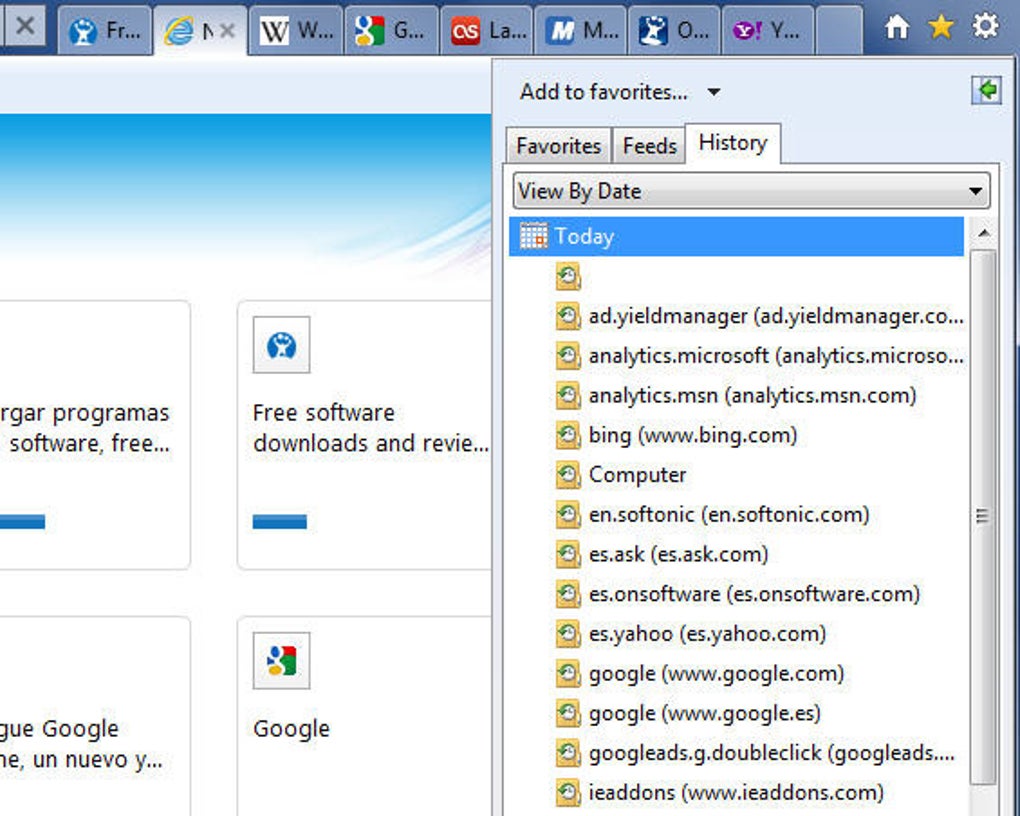
Once installed, IE 9 can be launched from the Start menu, desktop shortcut, or the taskbar if pinned. The first run presents a brief tutorial highlighting the new interface, the unified address bar, and the Super‑bar pinning feature. Users can import bookmarks, cookies, and browsing history from previous versions of Internet Explorer, ensuring a seamless transition without losing saved data.
Compatibility is a crucial factor for any browser. Internet Explorer 9 is officially supported on the following operating systems:
- Windows 7 (all editions)
- Windows Vista SP2 (32‑bit and 64‑bit)
- Windows Server 2008 (R2)
While IE 9 does not run natively on Windows XP, users can still access legacy sites via compatibility mode, which emulates older rendering engines. The browser also supports 64‑bit installations, offering improved memory handling for heavy web applications. However, it is not available for macOS, Android, or iOS platforms; Microsoft later introduced Edge for cross‑platform support.
For optimal performance, Microsoft recommends keeping the browser up to date through Windows Update. Regular patches address security vulnerabilities, introduce minor feature enhancements, and improve overall stability. The built‑in Performance Advisor can be accessed via the Tools menu, where users can review a list of installed add‑ons, see their impact on load times, and disable or remove them with a single click.
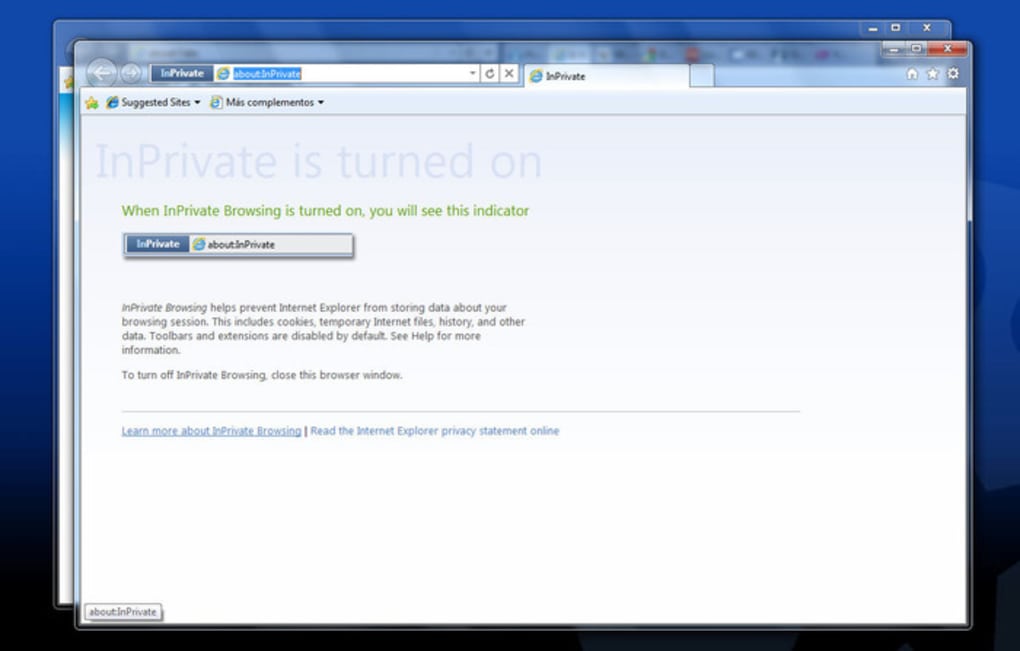
In everyday use, the merged address/search bar simplifies navigation: typing a keyword automatically triggers a Bing search, while entering a full URL loads the site directly. The pinning feature works by dragging the site’s tab to the Superbar, creating a persistent shortcut. InPrivate Filtering can be toggled on a per‑session basis, allowing users to browse without leaving traceable cookies, a useful option for public computers or privacy‑sensitive tasks.
Pros, Cons, and Frequently Asked Questions
Pros
- Modern, transparent UI that blends with Windows 7’s Aero design.
- Unified address and search bar reduces visual clutter.
- Superbar pinning turns favorite sites into quick‑launch apps.
- Performance Advisor helps maintain fast browsing speed.
- Strong HTML5, CSS3, and SVG support for contemporary web content.
- High Acid 3 compliance (95/100) ensures standards‑compatible rendering.
- InPrivate Filtering and sandbox security improve privacy and safety.
- Hang recovery automatically restores tabs after a crash.
- Free download with regular security updates via Windows Update.
Cons
- Only available for Windows 7, Vista SP2, and Windows Server 2008.
- Lacks native support for macOS, Android, and iOS devices.
- Some legacy web applications may still require compatibility mode.
- Extension ecosystem is smaller compared with Chrome or Firefox.
- Performance can degrade on older hardware without sufficient RAM.
Frequently Asked Questions
Is Internet Explorer 9 still supported by Microsoft?
Mainstream support for IE 9 ended in January 2018, but security updates were provided through the extended support phase until January 2020. Users are encouraged to upgrade to Microsoft Edge for the latest security and performance enhancements.
Can I install IE 9 on Windows 10?
Internet Explorer 9 is not officially supported on Windows 10. The operating system includes Internet Explorer 11 for compatibility purposes, and Microsoft recommends using Edge for modern browsing.
How does the Superbar pinning feature work?
To pin a site, drag the tab onto the Superbar (the taskbar area where the Start button resides). A shortcut appears, allowing you to launch the site directly from the taskbar, similar to a desktop application.
Is InPrivate Filtering the same as incognito mode?
InPrivate Filtering blocks third‑party tracking cookies while InPrivate Browsing (similar to incognito) prevents the browser from storing history, temporary files, and form data after the session ends. Both features can be used together for enhanced privacy.
Can I import bookmarks from Chrome or Firefox into IE 9?
IE 9 does not directly import from Chrome or Firefox, but users can export bookmarks from those browsers as an HTML file and then import that file into Internet Explorer via the Import/Export wizard.
Conclusion and Call to Action
Internet Explorer 9 stands out as a pivotal moment in Microsoft’s browser evolution. By marrying a sleek Aero‑inspired interface with substantive performance improvements, modern web standards compliance, and stronger privacy controls, IE 9 delivers a compelling free browser for Windows 7 and Vista users. While the lack of cross‑platform support and a smaller add‑on library may deter some power users, the integrated Superbar pinning, Performance Advisor, and robust security sandbox make it a practical choice for everyday browsing, corporate environments, and users who prefer an OS‑native solution.
If you’re running a compatible version of Windows and need a reliable, secure browser without the hassle of third‑party installations, downloading Internet Explorer 9 is a sensible step. The installation process is quick, updates are delivered through Windows Update, and the built‑in tools help keep your browsing experience smooth and safe.
Ready to experience a faster, more secure web experience? Click the download button below to get Internet Explorer 9 for free, and enjoy a browser that blends seamlessly with your Windows desktop while delivering the performance you expect from modern web applications.







